Linux on Microsoft Surface RT

I've always been someone who liked to use technology wherever it makes sense. Plans and appointments in my PDA, or synced to my phone, or just for playing around.
The Microsoft Surface RT had a really cool promotion in TV - young, "hip" and beautiful people using it for work, or just for leisure time.
For those who don't know it, here's some specs:
- NVIDIA Tegra 3, 4 cores (ARM 32-Bit, not x86)
- integrated graphics
- 2 GB RAM
- 32 or 64 GB eMMC flash storage
- 1366 × 768 pixels, touch screen
- 2 different keyboards: Touch Cover and Type Cover
- Touch Cover: very slim, cheaper, but really bad for typing (but I liked the blue color)
- Type Cover: more expensive, but quite a good keyboard
It came with Windows 8 (which later got an update to 8.1), which was kind of optimized for touch screen, but very few software programs existed for it (there was a usable MS Office on it, but not much more). Also, there was no additional browser that could be installed.
I think I bought this one on eBay, but used it only for a short time, as it was bad for reeding PDFs (which I intentionally that it would be good for), and web sites did not work on Internet Explorer...
After some time, I remembered it, and thought about what to do with it. My ideas:
- install Windows 10 ARM
- install linux
But unlike the Surface Pro models, there is no x86 processor including boot loader, which could load anything else...
There were some projects where Windows 10 was braught to the Surface RT, but it was an old image. Newer images were just fakes.
Then I found out that PostmarketOS (now: Nura) exists. It is a project to bring older hardware, like smartphone, tablets and laptops, back to life, unsing Alpine Linux.
After some testing, I was able to install it on the Surface RT:
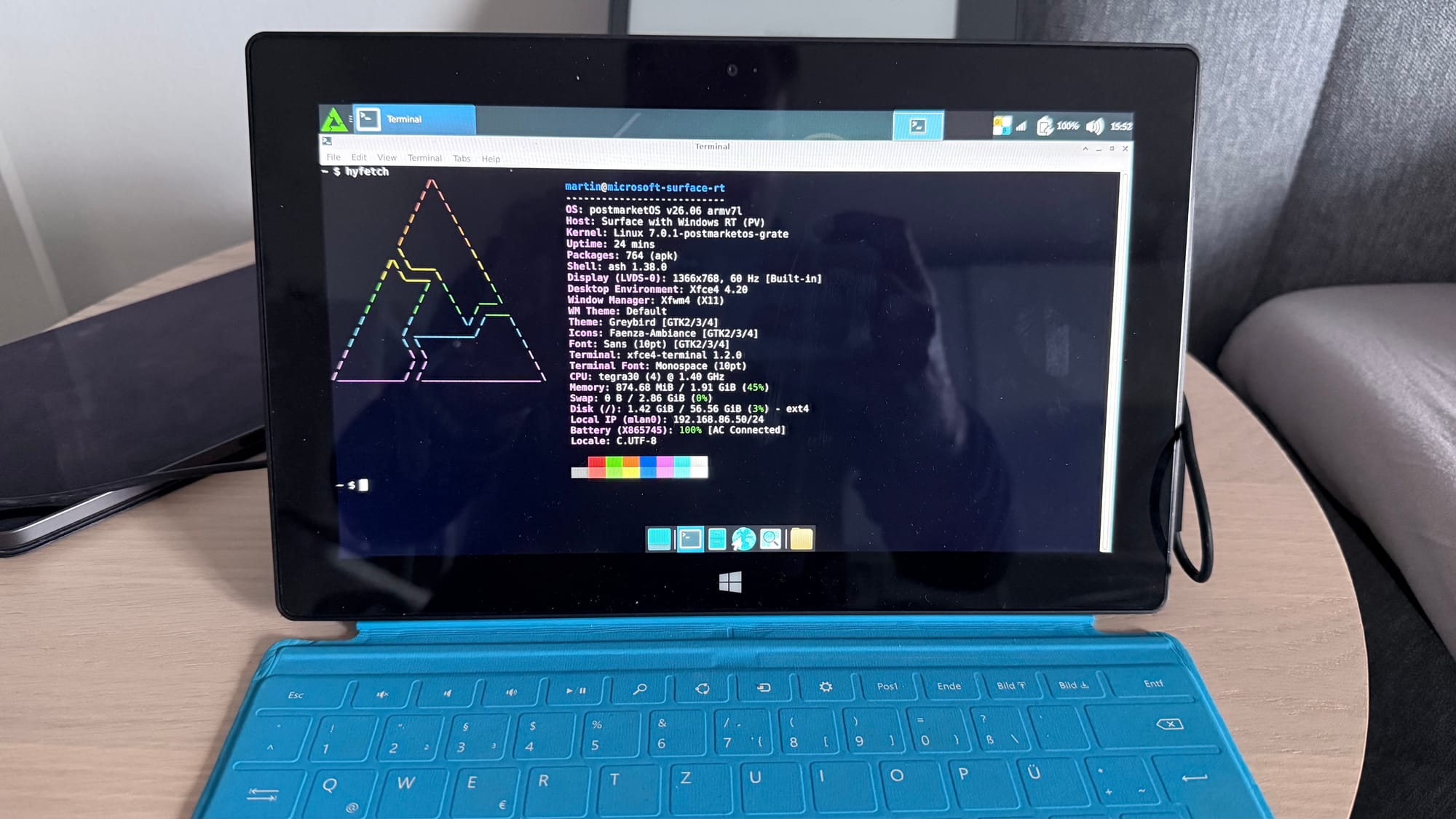
You can see that the kernel is quite recent, and XFCE4 is running. Unfortunately, the platform armhf does not provide many packages. And the system is not performing very good - starting a browser takes some time, und running it needs your patience. Also, the power management still does not work. Closing the cover will not bring it to sleep, and also shutting down does not really stop it. You'll always have to shut it down long pressing the powr button.
As it's quite unusable for internet browsing, it could be used as an SSH terminal. But as the keyboard is so bad...